Figma Plugin
From frame to
mockup in seconds.
Wrap your Figma frames in pixel-perfect device models.
No complex software. No export round-trips.
Free to install No account required Works inside Figma
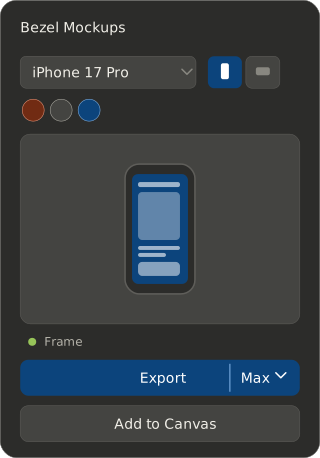
Wrap your Figma frames in pixel-perfect device models.
No complex software. No export round-trips.
Free to install No account required Works inside Figma
Features
A focused toolkit that turns raw frames into polished device mockups, without leaving Figma.
Live Mockup Preview
See your frames composited into device frames in real time, with no guesswork and no surprises.
Device Colour Variants
Switch between sleek, true-to-life hardware finishes with a single click.
Orientation
Instantly pivot device frames to match your design's intended viewing angle.
Output Scale
Export at 1× or Max resolution. Crisp at every density, from web previews to App Store screenshots.
Bulk Export
Download a single mockup or batch-export multiple screens into a single ZIP file.
Add to Figma Canvas
Place composited mockup images directly onto your canvas, side by side, ready for presentations or handoff.
Why Bezel Mockups
No exporting, no extra tools, no catch. Just device mockups, made directly in Figma.
Completely free
No subscription, no sign-up, and no watermark on your exports. Bezel Mockups is free to use, full stop.
Built into Figma
Create device mockups directly in Figma. No exporting to Photoshop or juggling extra design tools.
Pixel-perfect devices
iPhone, iPad, and MacBook frames modelled to scale, so your mockups always look accurate and polished.
Seconds, not steps
Select a frame, pick a device, and export: the fastest way to go from raw frame to presentation-ready mockup.
How it works
Zero learning curve. Just select, customize, and export.
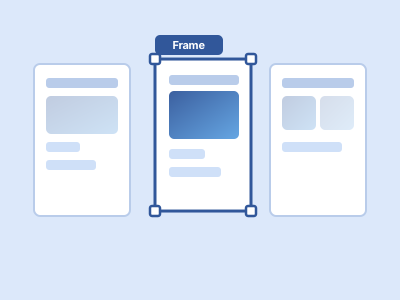
1 Select your frames
Highlight one or more Figma frames you want to turn into mockups. Bezel handles the rest.
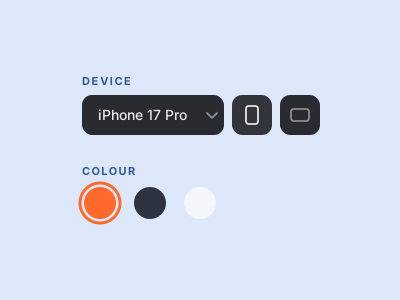
2 Configure your mockup
Choose your device, orientation, and finish. The live preview reflects every change.
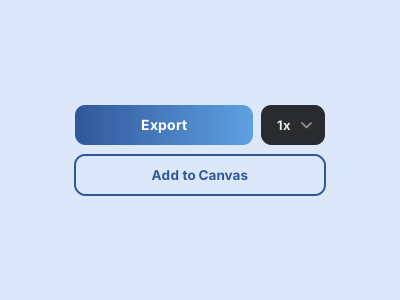
3 Export or place
Export at 1× or Max resolution, or hit "Add to Canvas" to drop the mockup directly onto your canvas.
Supported devices
Every device frame is modelled to scale, so your mockups always match the real thing.
iPhone 17 Pro
Portrait & landscape
iPad Pro
Portrait & landscape
MacBook Pro
Landscape
FAQ
Bezel Mockups is a Figma plugin for creating device mockups. It wraps your Figma frames in pixel-perfect iPhone, iPad, and MacBook models, turning raw designs into polished, presentation-ready mockups directly in Figma.
Open the Figma Community page for Bezel Mockups and click "Install". Once installed, select any frame in Figma and run the plugin to start creating device mockups.
Bezel Mockups supports the latest iPhone, iPad, and MacBook Pro models, each modelled to scale with multiple colours to choose from.
Yes. Bezel Mockups exports your mockups at high resolution, so they stay crisp and sharp for everything from web previews to App Store screenshots and social media posts.
Yes, Bezel Mockups is a completely free Figma plugin for mockups. There's no subscription, no account required, and no watermark added to your exports.
Yes. Bezel Mockups lets you create device mockups directly in Figma, so there's no need to export to Photoshop or any other tool. Just select a frame, choose a device, and export a polished mockup in seconds.
Install Bezel Mockups and turn your frames into polished, presentation-ready mockups in a click.
Install in Figma